Squirrly Live Assistant is Not Showing in Edit Post
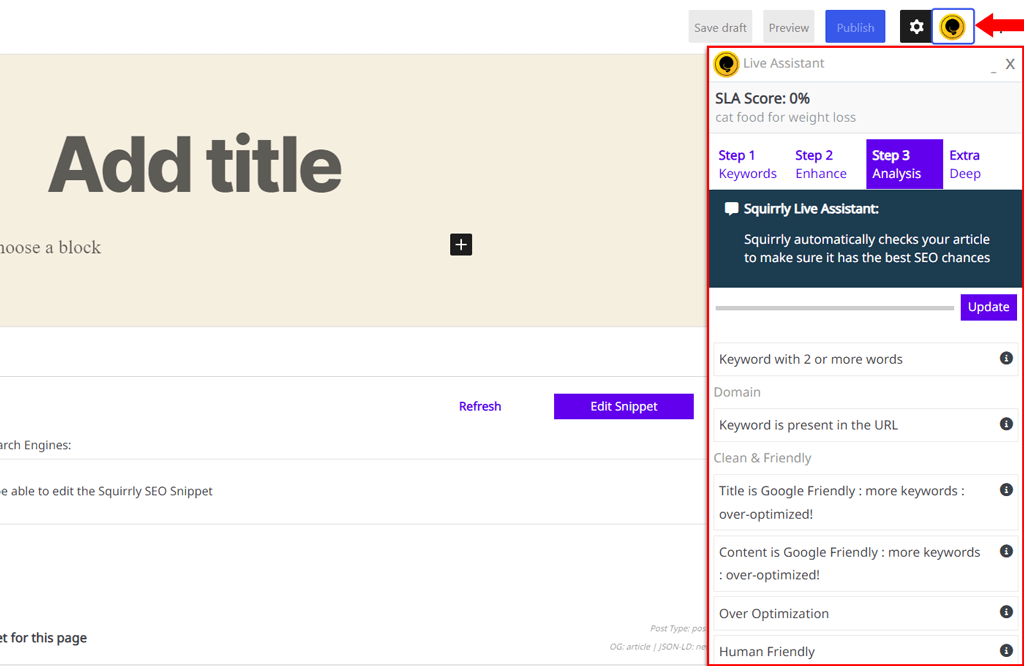
Squirrly Live Assistant is build to show on every post type while you’re in Post Editor in backend.
The Live Assistant will load on the right side of the screen as a floating box and you can move it from right to the left as you like. (simply click on the Assistant, Hold, and Drag it anywhere you want)
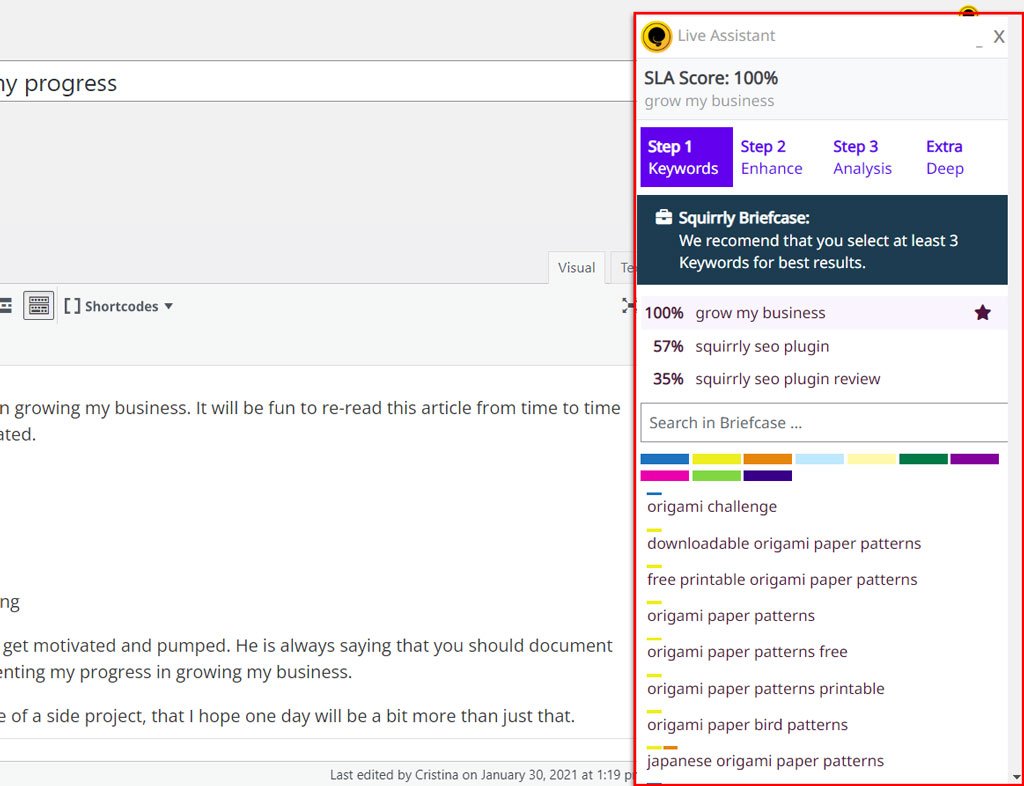
You can also minimize or close down and maximize/ re-open the SEO Live Assistant anytime you want in the User Interface.
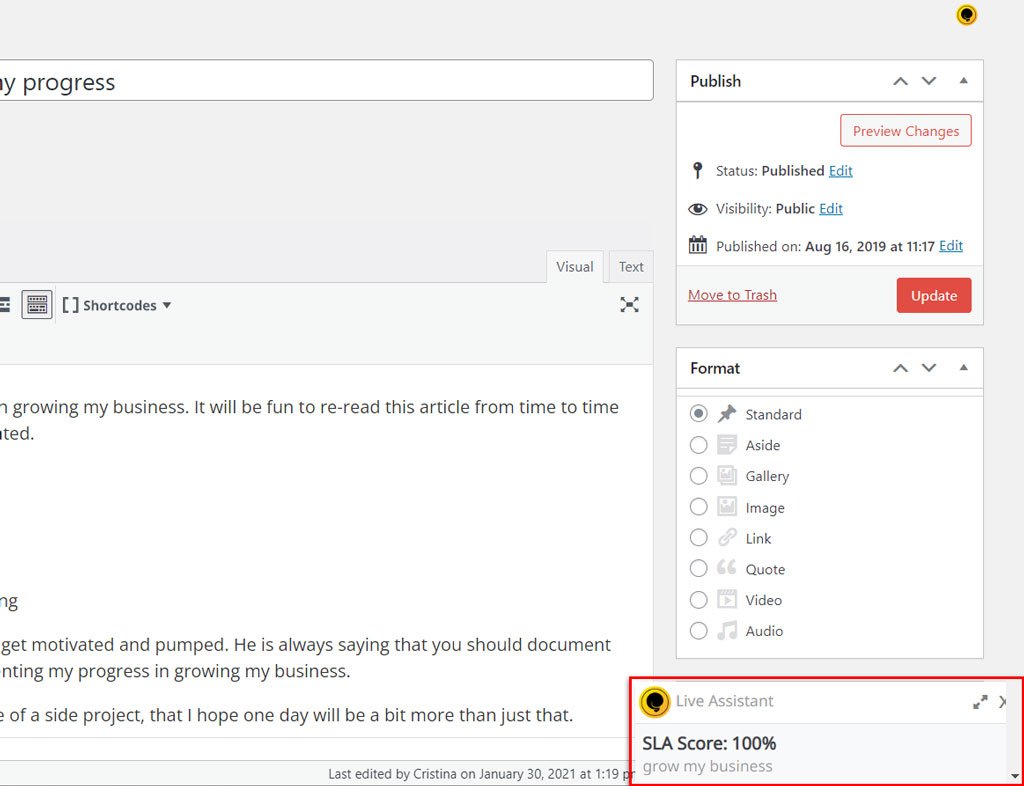
If you are in the Post Editor and Squirrly Live Assistant is not loading as it should please make sure that:
1. You didn’t select the Post Type in Squirrly > Live Assistant > Settings. Make sure you don’t select any post type like in the list below.

2. Squirrly is selected here if you use the Block System in WP 5.0
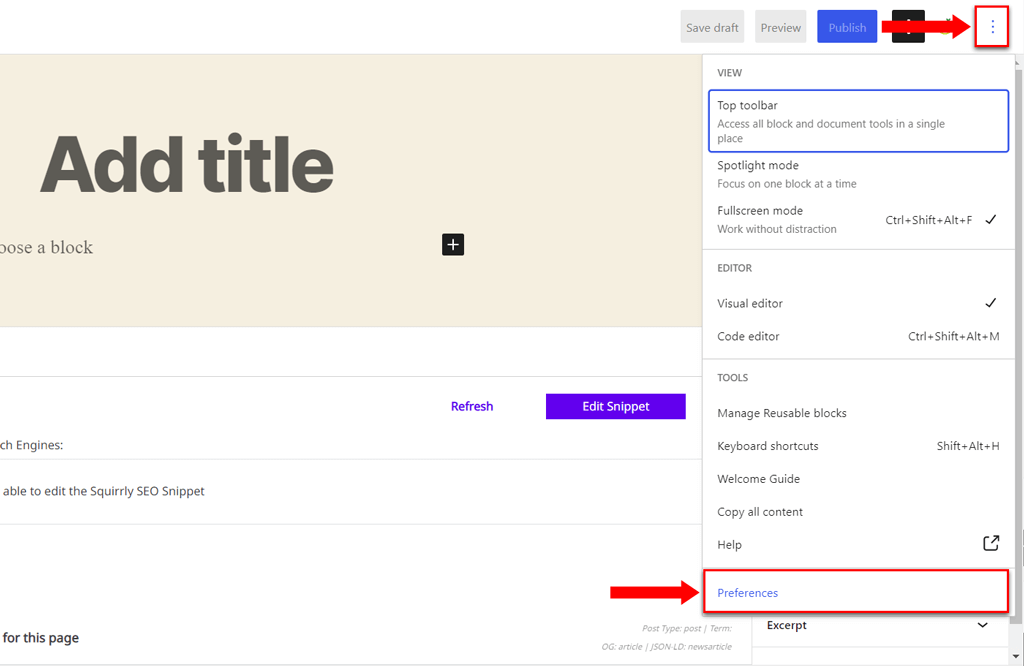
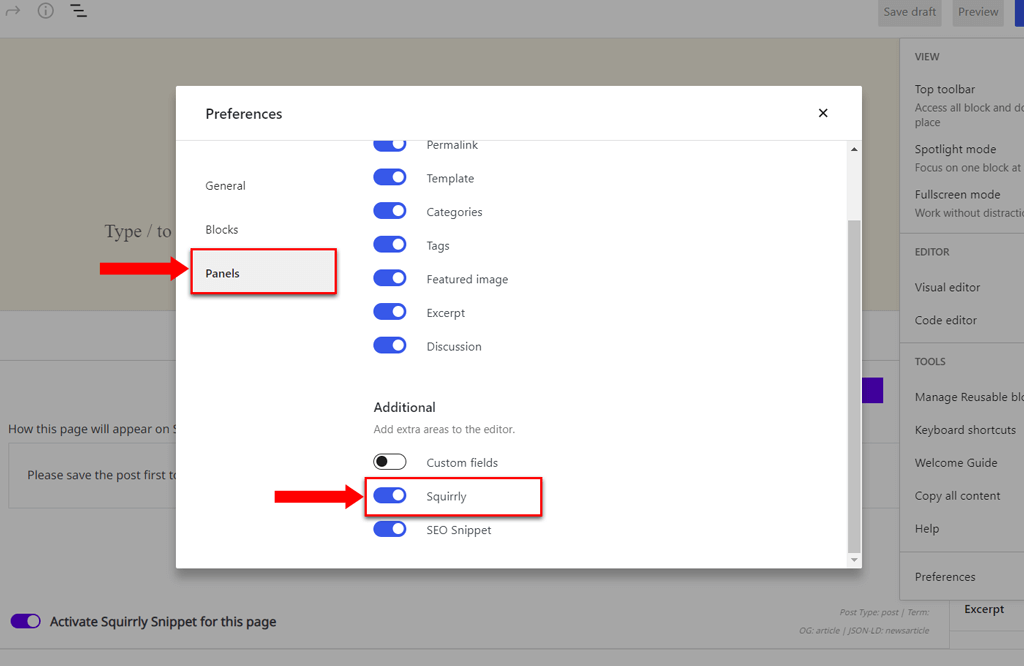
If both settings are correct, the Live Assistant will show in Post Editor.